
Outcome
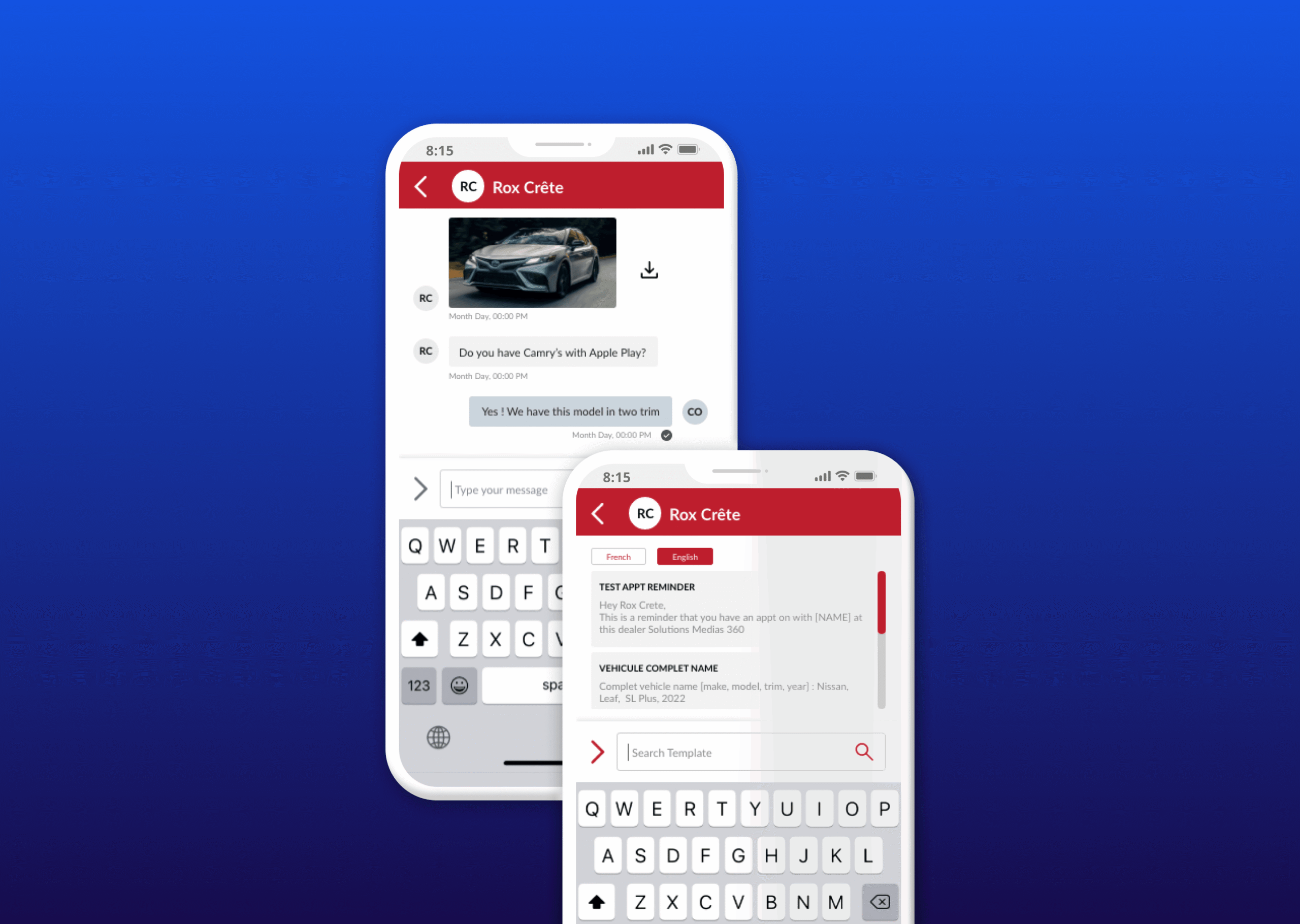
Cross-platform MMS feature with conversation threading, multimedia capabilities, and SMS templates that aligned CRM with users' existing mental models.
Client Overview
CRM Delta is a tool that allows dealership managers, vendors and BDC agents to keep track of their leads.
Goal
Re-design the MMS feature to follow-up with customers, keep track of conversations and adjust message functionalities according to every user need.
Role
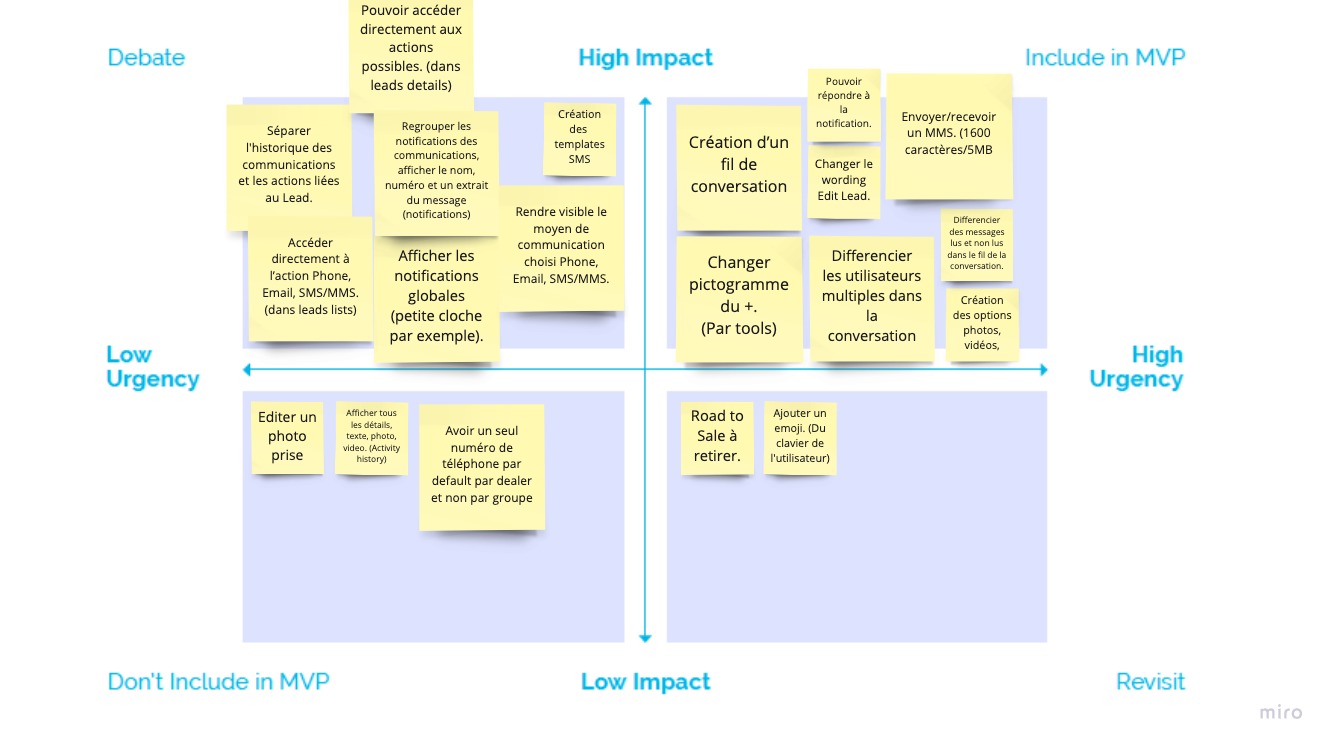
Product Designer: Collaborated in user research, gathered research information, delimited the MVP according to deadline and priorities, participated in design and animation of prototypes, and the developer's handoff.
Problem
Dealership vendors need to keep track of their conversation via SMS with customers. They want to be able to send pictures and add pre-determined messages to follow-up with clients in every step of their sales journey.
Exploring Opportunities
How might we:
- Find a way for vendors to quickly access their MMS history with customers?
- Create an easy flow for them to send text messages and pictures?
Research
Heuristics
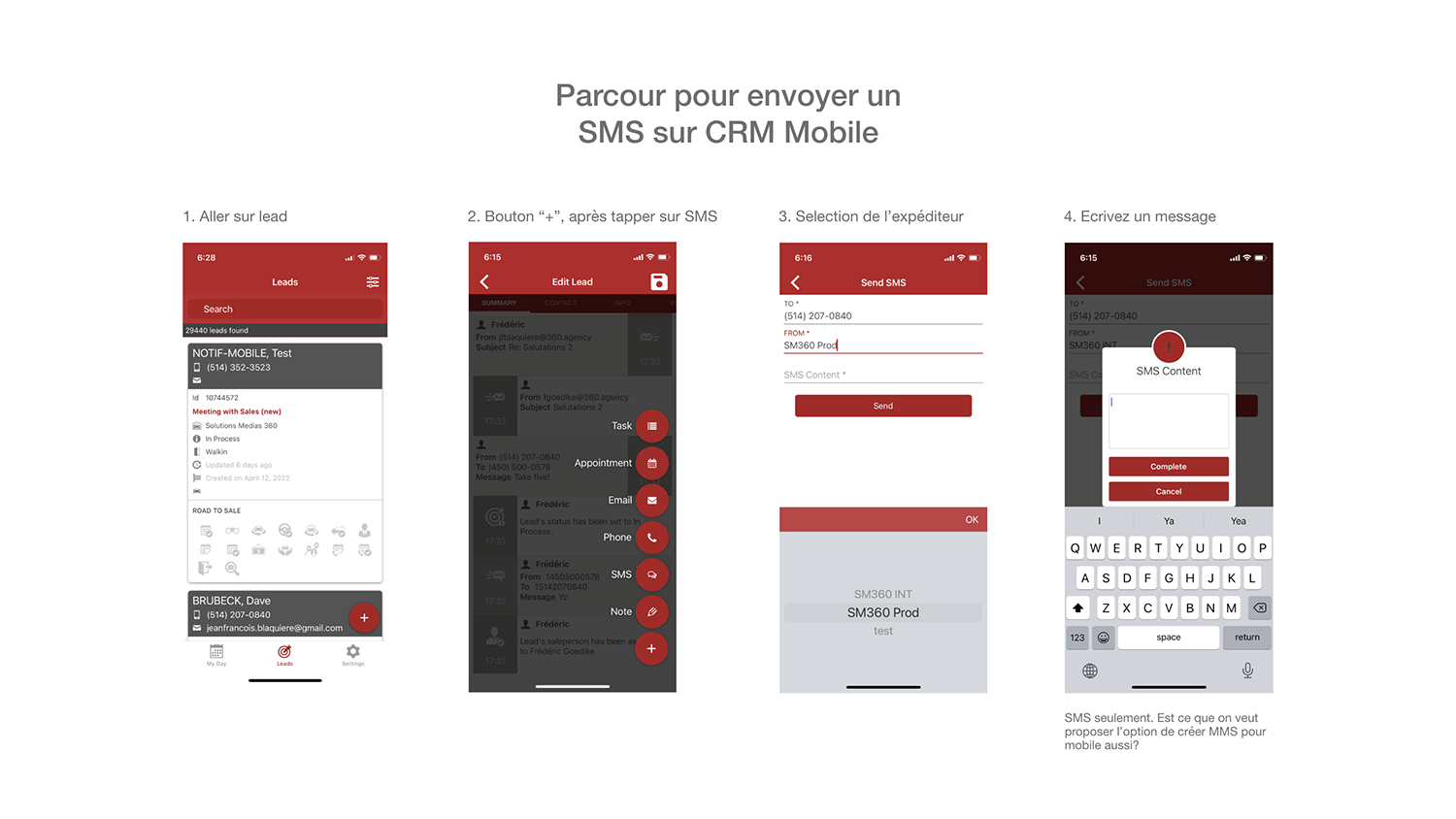
I analyzed the flow for our two main objectives: first to send an SMS and second to see the message history.
Sending SMS:
- To send messages, the user had to complete a form every time, asking the customer's contact number and the number from which the message is sent. We found this step to be repetitive.
- To write the SMS there's a modal box where they can preview the message. This modal only allows the user to write text and no option to add multimedia is presented.
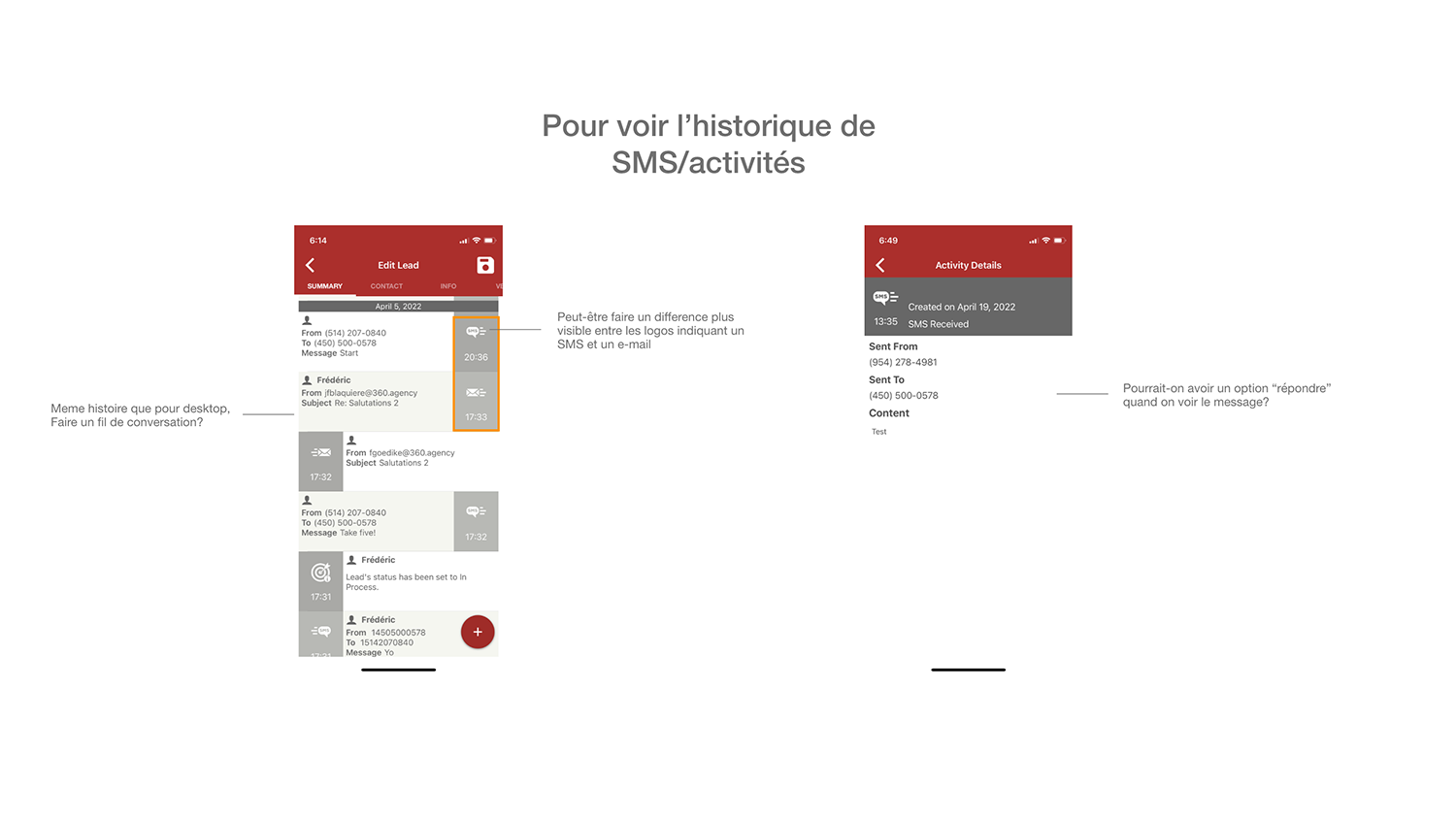
Viewing Message History:
- On the activity screen, SMS, emails, lead edits and any other activity related to the lead was shown. We wanted to maintain the MMS activity separated from the rest.
- The user can only access the information about a message but in order to respond, they had to go back and start over the SMS creation.
Ideation
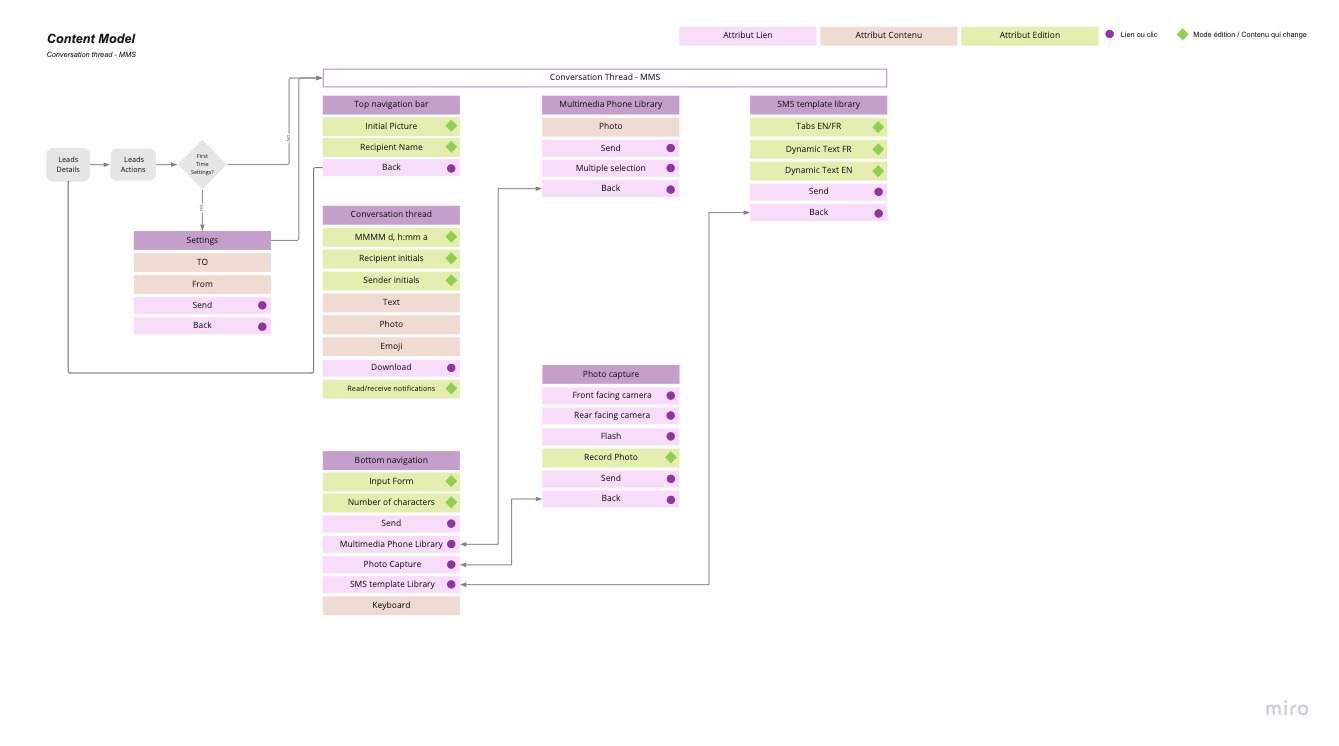
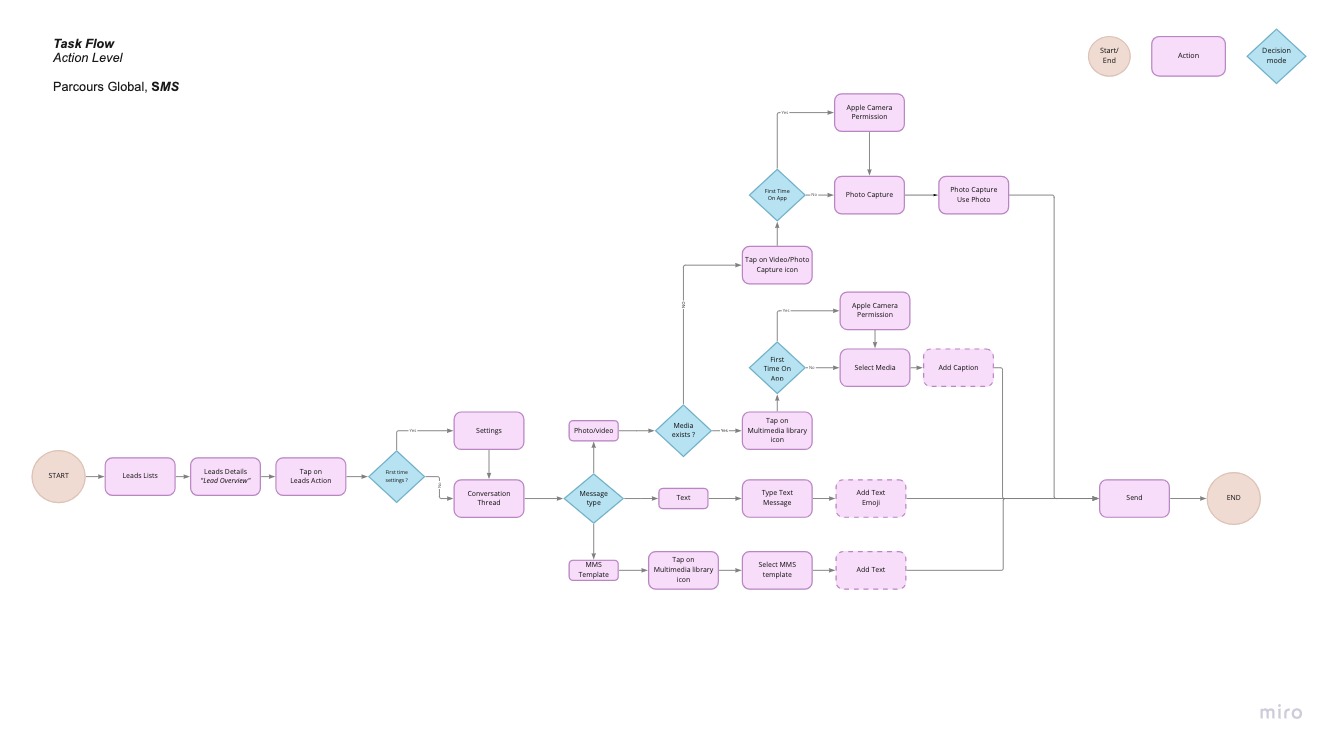
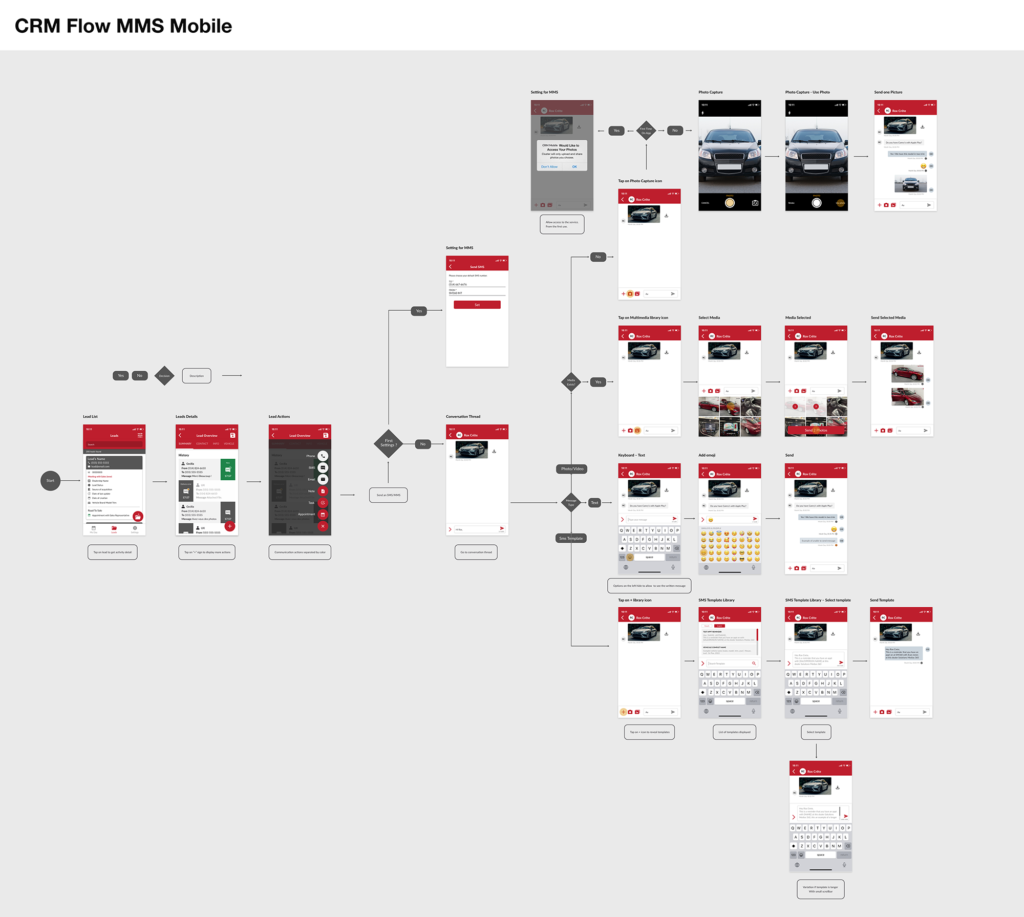
Based on our research findings, we mapped out the content model, defined the minimum viable product, and created the task flow for the new MMS feature.
Research Findings & Proposed Solutions
- Create a conversation thread for seamless back-and-forth communication
- Add buttons to send media through the conversation thread
- Allow users to create SMS templates for quick, consistent responses
Prototype & Test
Lead Overview
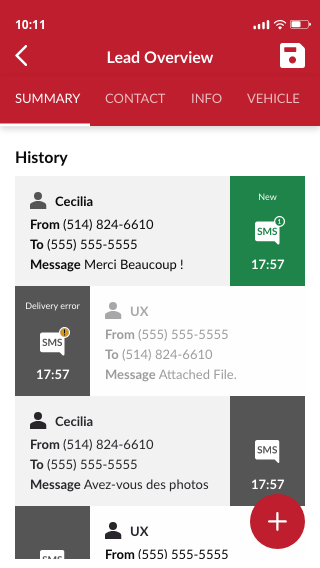
I suggested a change in the colour of the new messages to the ones that had been read. This way the user would quickly access those that have not been responded or seen.
Delivery errors are more evident for the user to go back and resend the message if needed.
Leads Action
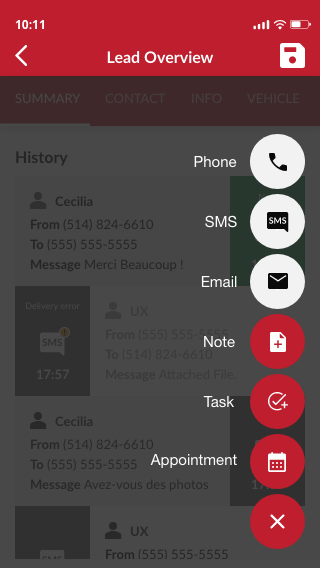
Differentiating colors between communication actions and tasks actions was important for the user to better see the messaging feature.
Product tiles were improved adding key information in tags like: Main subject, grades and rating.
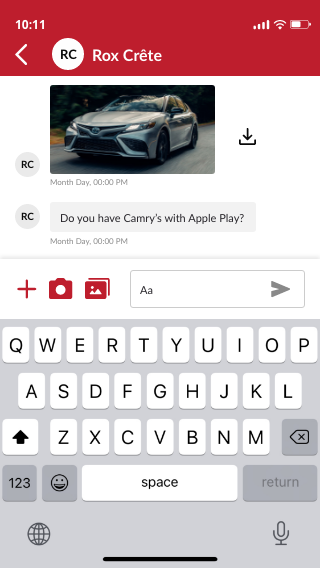
Conversation Thread
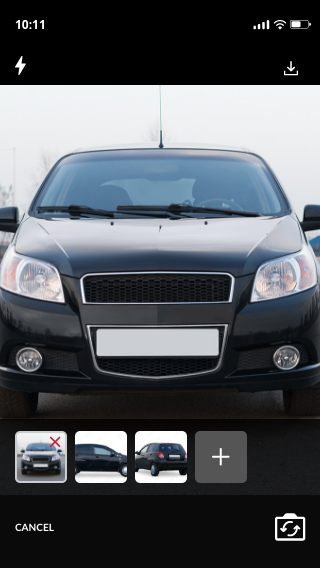
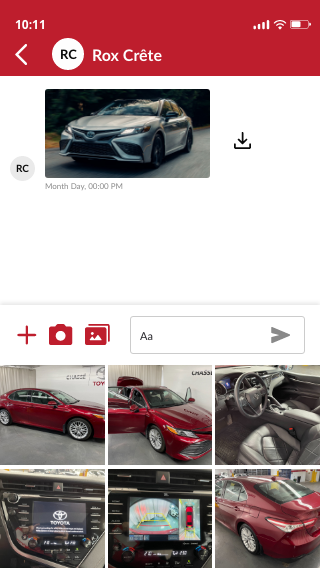
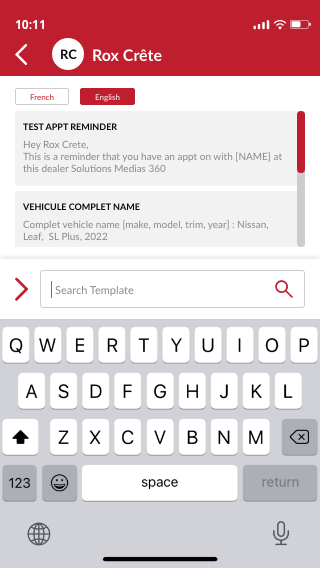
Adding a bar with quick access to:
- Live camera photos (mobile only)
- Stored pictures
- SMS Templates
High Fidelity Prototype
Complete conversation thread on mobile and desktop, featuring the new multimedia capabilities and SMS template library.
Learnings & Reflection
Using familiar conversation patterns aligned the CRM with users' existing mental models. The biggest insight was recognizing how much friction the repetitive form created in the original flow. By introducing threading and quick-access multimedia, we significantly reduced the steps needed for common tasks.