
Outcome
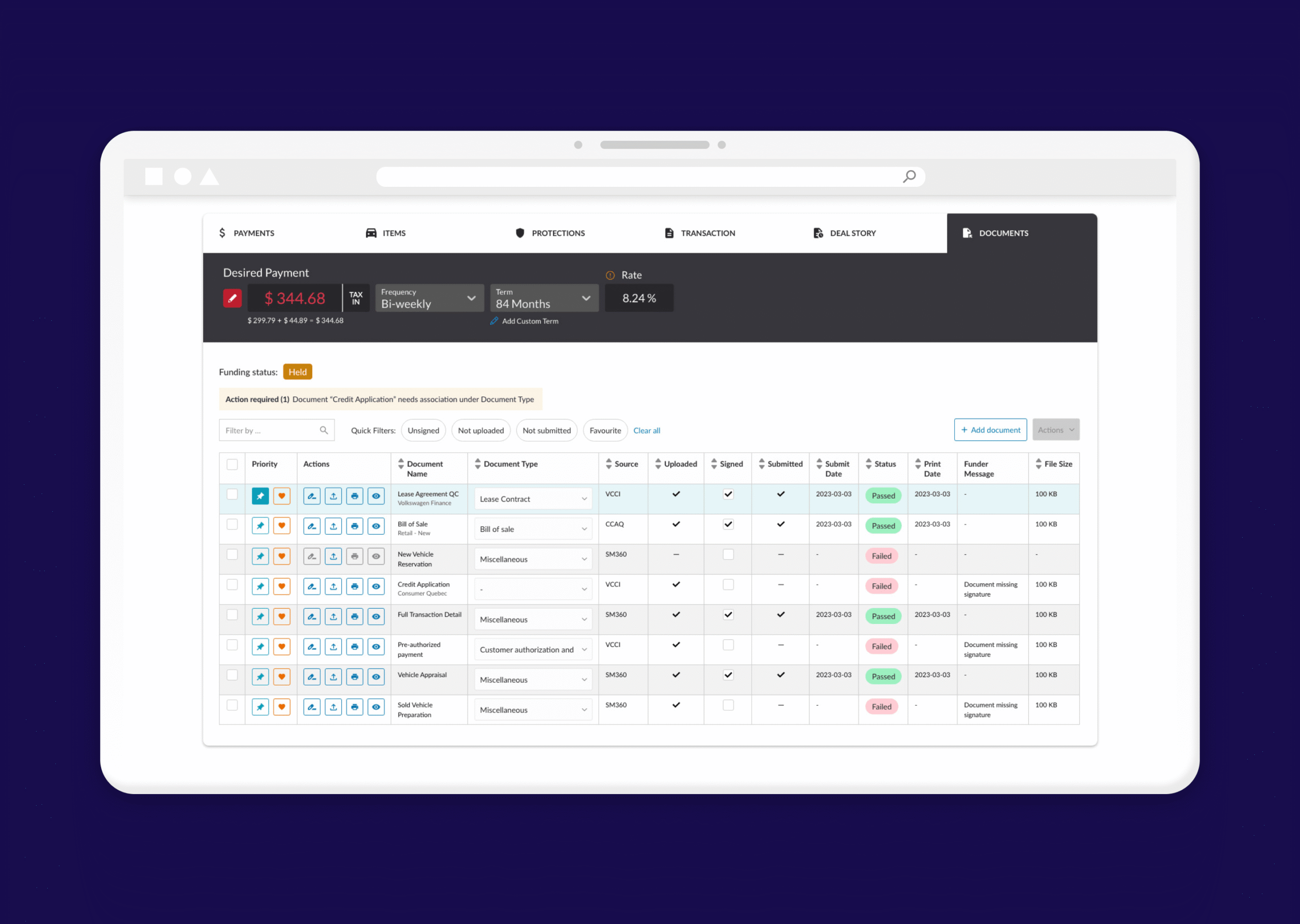
Streamlined F&I document review and submission within Desking, reducing manual errors before manufacturer transmission via OXLO.
Client Overview
OXLO is a platform for secure data integration and exchange within the automotive industry, transmitting encrypted financing documents between dealers, lenders, and manufacturers. Desking is a software solution that enables quote management and integration.
Goal
Integrate a new feature within Desking that allows Finance & Insurance (F&I) teams to better manage and review documents before sending them to the manufacturer for approval.
Role
UX Designer: Led user interviews, usability testing, wireframes and prototyping, working closely with the Product Owner.
Problem
F&I managers face challenges managing and tracking financing documents before submission to manufacturers. The lack of visibility into document status and missing information causes delays and manual work. We needed to design a feature within Desking that simplifies document review and ensures error-free transmission via OXLO.
How might we:
Help F&I teams seamlessly manage and review financing application documents before transmitting them via OXLO to the manufacturer?
User Research
We started by analyzing the needs of our main users: F&I managers. Through interviews and dealership visits, we uncovered several key pain points.
Insights from User Interviews
- Reviewing an entire pack of documents is time-consuming and error-prone
- Users struggle to find missing signatures or incomplete forms
- They want to see the application status after submission
- Automation and time efficiency are top priorities
Competitive Analysis
We explored similar tools such as Deal Jacket and Activix, and visited an F&I department in Montreal to observe real workflows.
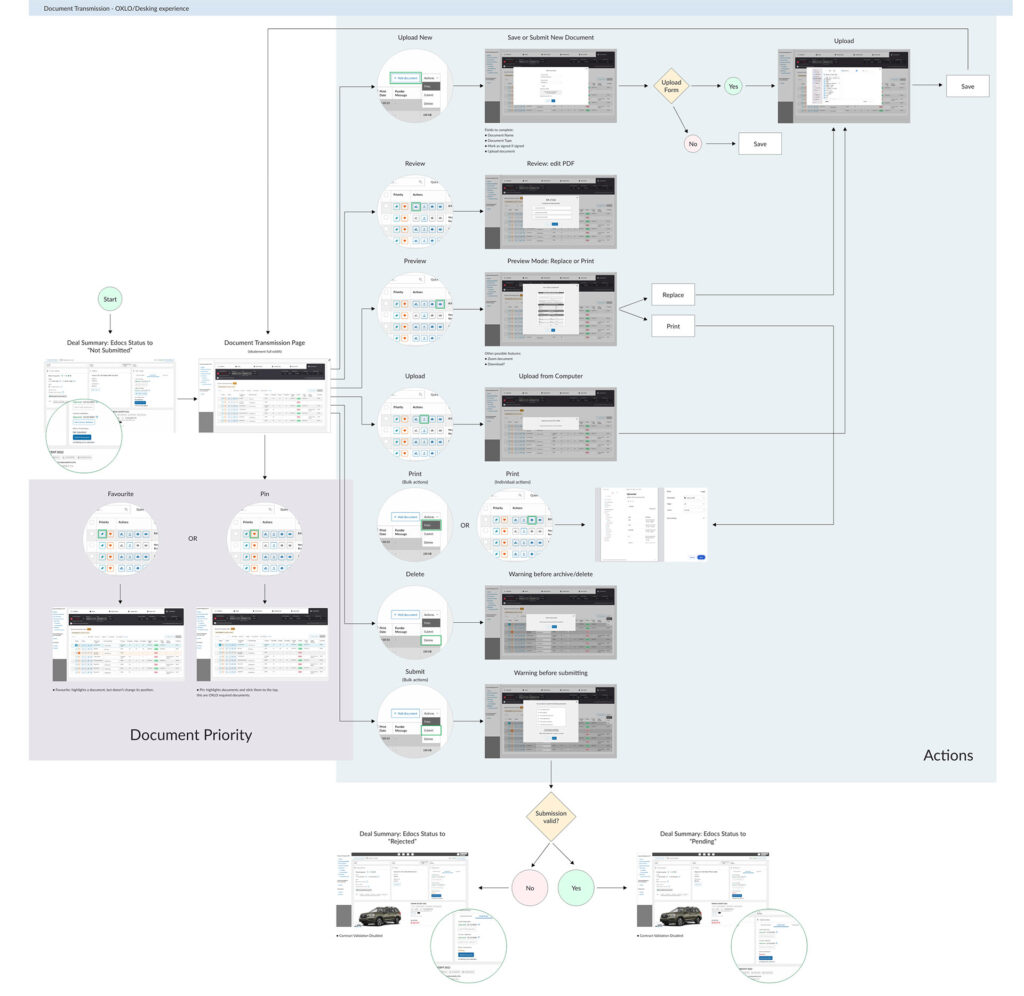
Understanding the F&I Flow
Ideation & Design
From our research, we determined that we needed two different displays: VW-specific documents and Non-VW documents.
Key Features (for both VW and Non-VW views)
- Document Table displaying all required files for manufacturer transmission
- Per-document actions: Review, Print
- Batch actions: Print, Submit
- Quick filters: Unsigned, Missing, Favourited, Unsubmitted
- Search bar for document lookup
- Editable document type via dropdown
- Status tracking for each document
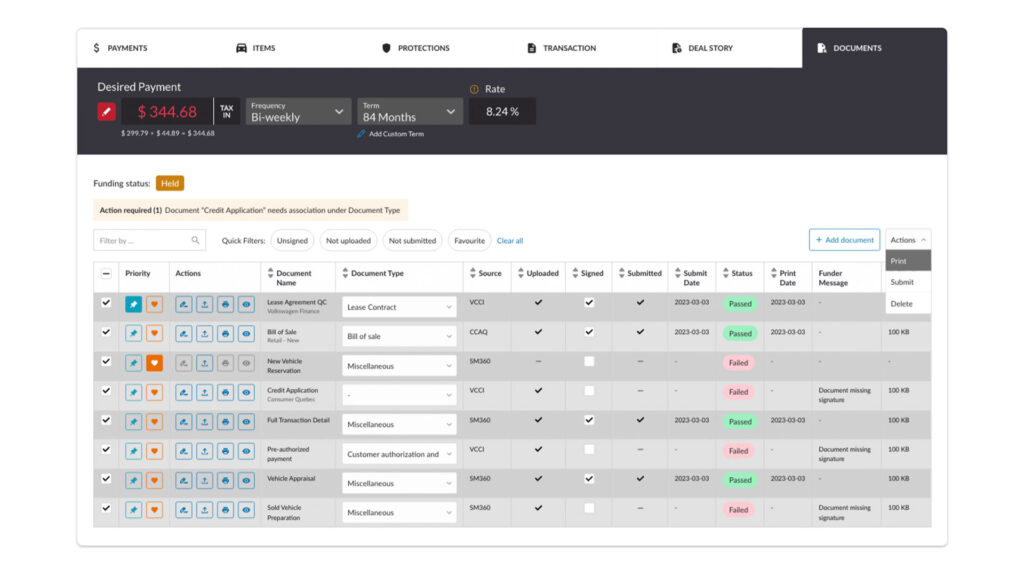
VW Documents example, with batch actions.
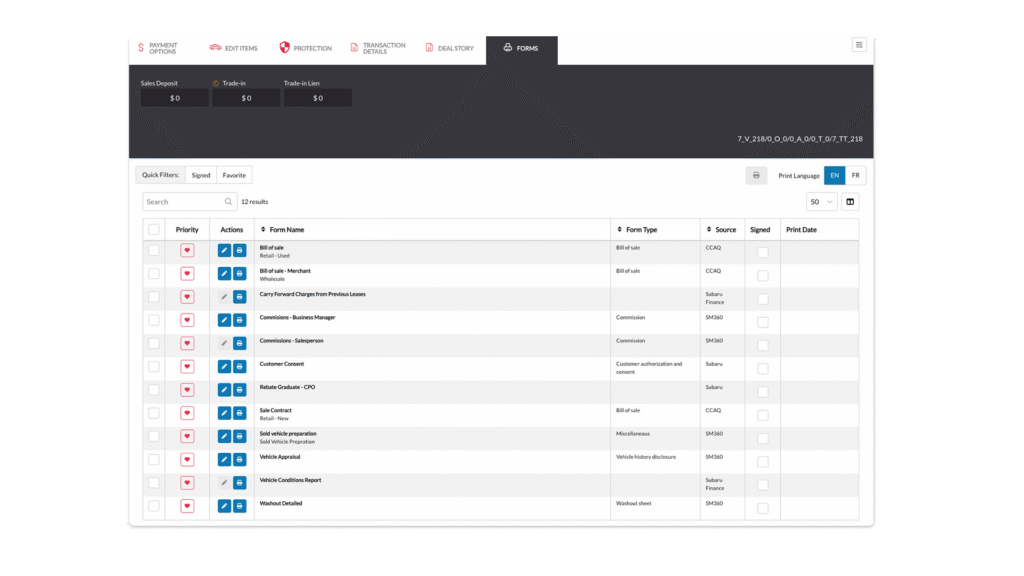
Live Non-VW Documents example.
User Feedback
During our first round of testing, users requested the ability to highlight or prioritize certain documents. We introduced a "Priority" column allowing users to pin or favorite documents to keep them easily accessible.
In the second round, they asked for a possibility to add several documents at a time (batch action of upload).
High Fidelity Prototype on Mobile
The mobile prototype showcases the full document management flow, optimized for F&I managers working on the dealership floor.
Future Considerations
Continue the User Testing to determine other missing features for users and expand to additional manufacturer workflows.